
English learning at home
Vocabulary Game App for Kids: What Parents Should Check
Choosing a vocabulary game app for ages 5-10? Learn what to check for beginners, how retrieval, audio and short offline routines help words stick.
By Talkio Kids ·
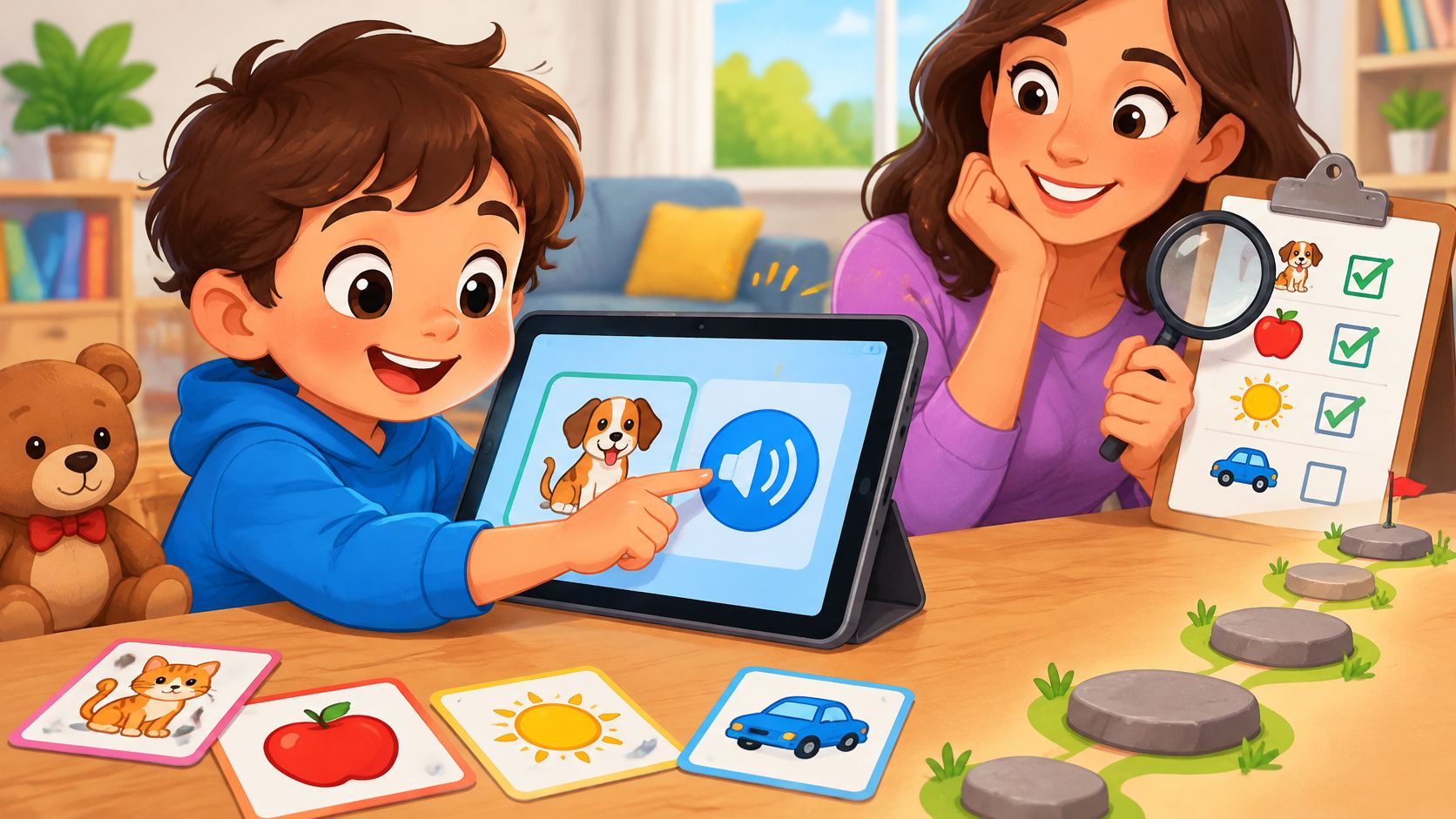
The tablet is open on the kitchen table, and a nine-year-old who already reads chapter books at home is looking at an English app full of toddler toys. That child can be a complete beginner in English. Age, reading skill, and English level are three different things, and a vocabulary game app has to respect all three.
Most families in this spot want something short, spoken aloud, and calm enough for after school. They also want to know whether the game is teaching words or only playing them again. A teacher or tutor may want the same five-minute warm-up, then a return to talk, books, and play.
The checks here are for adults choosing tools for children aged 5 to 10. Home practice comes first. A smaller share is for adults who add a little extra practice beside lessons they already teach.
A Checklist for Choosing a Vocabulary Game App
Open the store listing, then open one lesson. This scan list is enough for both looks. An app that fails two or more rows is worth skipping.
| Criterion | Look for | Be wary of |
|---|---|---|
| Audio | Every word and instruction spoken, with replay in one tap | Text-only prompts that need reading |
| Pictures | One clear picture per word, easy to tell apart | Busy scenes or decoration that hides the meaning |
| Lesson length | Short lessons with new words introduced in small steps | Long sessions with no natural stopping point |
| Practice style | Child chooses or says the word before the answer appears | Passive replay of the same word |
| Mistakes | Try again and get help; no lives or harsh buzzers | Penalties that end the game |
| Offline use | Lessons and recordings stored inside the app | Content that only loads with a connection |
| Speaking | Optional, and usable if the microphone is declined | Compulsory microphone use with no alternative |
| Privacy and purchases | No ads, chat or account; purchases behind a parent gate | Social features, open chat or unclear purchase controls |
The three rows that decide it
Audio, practice style, and mistakes matter most for a complete beginner. If a child can't read yet, every word and every instruction has to be spoken, with replay in one tap. Text on the screen can wait.
The next priority is memory. The child should choose or say the word before the answer appears. Hearing the same clip on a loop can feel busy and still leave the word unlearned.
Mistakes should stay gentle. A child needs another try and a bit of help, not lost lives or a harsh buzzer that ends the game. Shame makes a short lesson feel like a test.
For a 9- or 10-year-old who is new to English, also check that the lesson looks and sounds like school-age material, not a preschool toy box. Short lessons and offline play still apply at that age. Pictures should stay easy to tell apart, and speaking should stay optional if the microphone is declined.
Practical rule: Play one lesson together and ask whether the child can say one word without help. That single moment tells more than a page of star ratings.
Talkio Kids keeps every lesson, picture, and recording inside the app, stores progress on the device, and needs no account. Speaking is recognised on the device, and the app doesn't save or upload microphone audio or transcriptions. There are no ads, chat, comments, leaderboards, or a profile for anyone to find, and purchases sit behind a parent gate.
Why Retrieval Beats Replaying Words
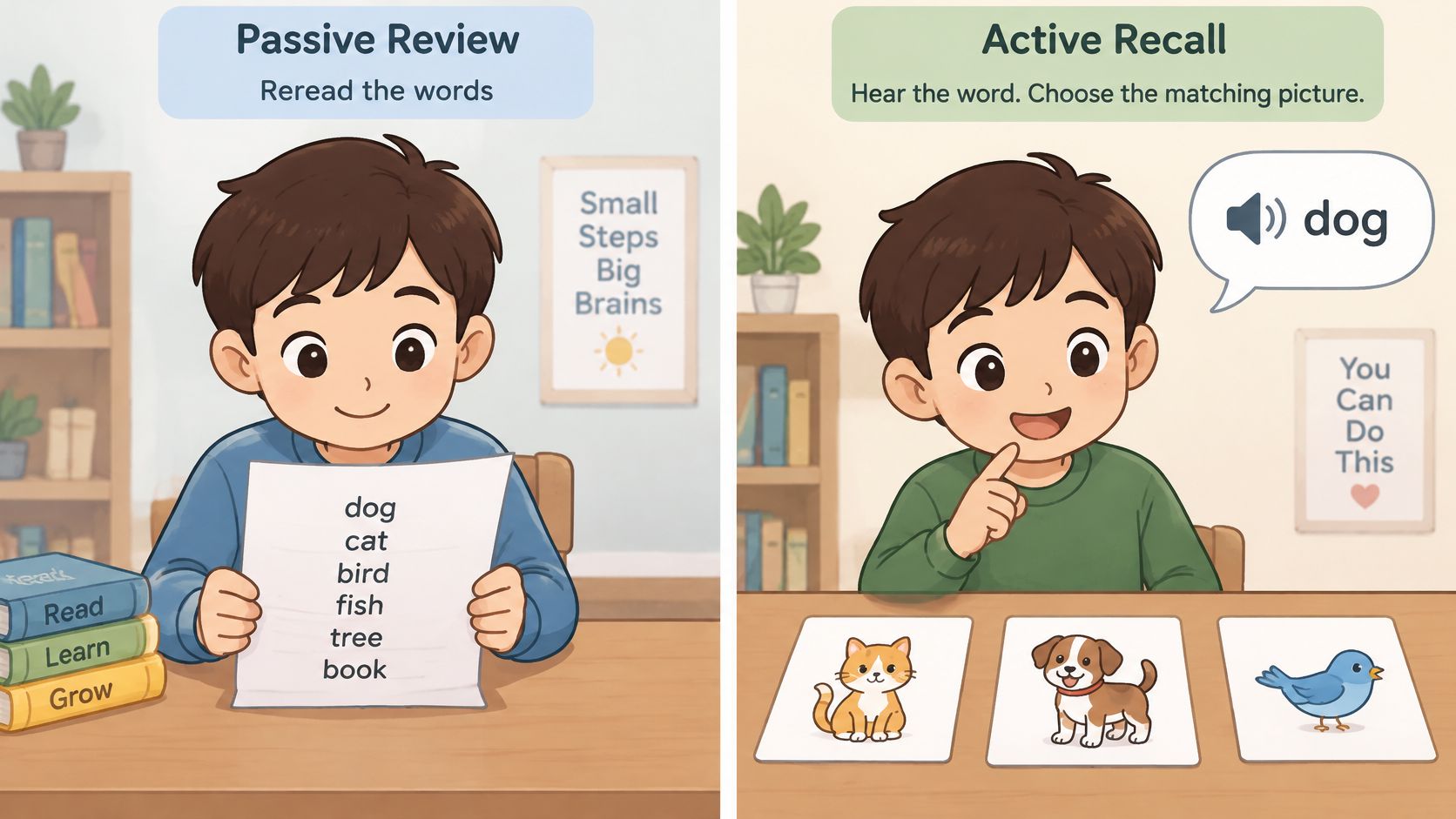
Rereading a word list feels productive. Asking for the word from memory is what makes it stick.
Say the child has already met dog. The game plays the sound, shows three pictures, and waits. The child taps the dog before any highlight appears, then hears whether that choice was right. That pause is the lesson. A clip that only plays "dog" again is exposure, not practice.
What a week later can show
In a primary-school study, children learned 20 novel words and practised half through retrieval and half through restudy. After one week, retrieval-practised words reached 47.0% cued recall versus 38.7% for restudied words, an 8.3-percentage-point advantage, or about a 21% relative improvement, according to research in Applied Cognitive Psychology. The gain showed up on recall, not on multiple-choice recognition.
That result is about remembering later, not about a perfect score in one sitting. A matching game should ask the child to produce or select the word from memory before the answer shows, then give immediate feedback.
Three checks in the app
Parents can turn that finding into a short inspection.
- Already-met words: The round should test vocabulary the child has met before, not only replay a brand-new clip.
- Misses return later: A wrong item should come back after other words, not in the very next tap.
- Short and spread out: Several brief sessions across days fit delayed recall better than one long sitting.
- Plain pairs first: Isolated word-and-picture pairs suited complete beginners better than words buried in a story. A short story can wait until the basic meaning is familiar. Everyday sets like the ones in this guide to English vocabulary for kids are a useful offline list while an app is still on trial.
Play for five minutes, then come back the next day and see whether yesterday's words return. If they never do, the app may feel fun without building memory.
Picture matching, a listening prompt, or a speaking try can all count as retrieval when they test a word the child has already met. A progress screen that only counts finished activities can praise familiarity and overstate learning.
Audio First, Pictures as Clues
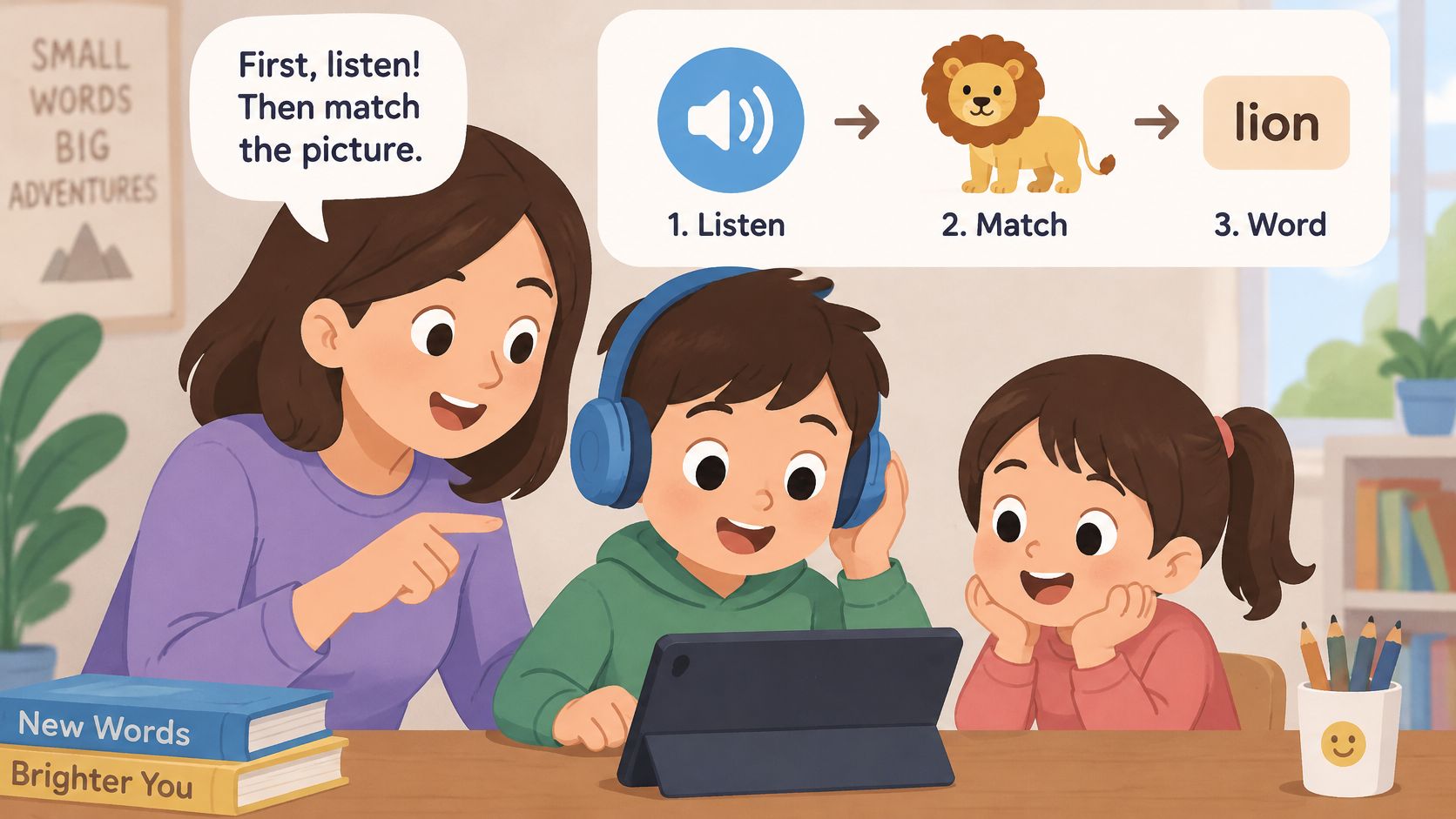
A child who can't read yet needs the word in the ear before any letters on the screen. The picture then carries the meaning. A written label is a bonus, not the way in.
A solid first lesson stays inside familiar life: a greeting, an animal, a colour, a number, a family member, or a food. Each item gets one spoken model and one clear picture. Early readers can ignore the print and still follow.
One concept, more than one picture
After car, a later round might show a van, a bus, or a bike, or the same kind of vehicle turned a different way. The child is learning the idea, not memorising one screen. A study of repeated spaced retrieval with preschool children found better retention of both word form and meaning, including when children had to generalise a learned word to new pictures. That advantage appeared for children with developmental language disorder and for typically developing peers. The theme or the animation isn't what the evidence credits.
Three checks with the app open
- Hear it first. The word and the instruction play before any reading is required. Replay is one tap.
- See it again, differently. The same word returns with another picture, background, or example.
- Answer without the label. The child points or speaks. Print can sit on the screen, but it isn't the only way to respond.
Missed items should come back sooner, still with sound and a picture. Items the child gets right can wait longer. The same pronunciation should play on a train or in a car, because the recordings live in the app.
A 9- or 10-year-old beginner can use these same three checks. Some of them read a little, so confirm that written labels stay optional. If the pictures are crowded, unrelated, or only decorative, they aren't clues.
Every instruction and every word in a lesson built this way is spoken as well as written. First topics stay useful and familiar, so meaning is clear even when reading in English is just starting.
Co-Playing and Off-Screen Routines
More help isn't automatically better learning. In one study of 5- to 6-year-olds using a game-based language app, parent initiation was associated with stronger English outcomes but lower engagement, in evidence cited by a 2025 review of parents' digital practices. Families in that research commonly manage timing, content, supervision, and exposure, and they generally allow digital play when it is limited and watched. Parents of kindergarten children often build routines for online English too, while juggling work and their own English.
Step in, then step back. Sit nearby for the first two or three sessions. Let the child tap and speak first. Repeat the word after the child, and join only when the child is stuck.
A light role beside the screen
Praise the action, not a score. "You found the cat!" tells the child what worked. Turning every tap into a quiz makes play feel like school after school.
Talkio Kids has no hearts, lives, or harsh buzzers, so a parent can say "try again" instead of correcting every sound. Model a hard word once, then move on. The app around the lesson speaks English, Spanish, German, French, Italian, and Danish, and new words are explained in whichever of those languages the family speaks at home. Point, copy the model, and let the pictures carry the meaning. A full translation of every line isn't required.
NAEYC reports that toddlers whose caregivers provided an interactive learning experience were 22 times more likely to apply what they learned from screens in everyday life than children whose caregivers didn't get that support. That figure is about toddlers, not a promise for ages 5 to 10. It still supports a simple habit: sit nearby, repeat the target word, point to something similar at home, and invite a short spoken answer. "Where is the cup?" and "Can you find something red?" are enough.
Five quiet minutes off the screen
Show a picture, say the word, then let the child choose the next card or action and answer aloud before any praise. Breakfast, bath, the car, or a queue all work. No purchase is required for that round. More English speaking activities for kids can stretch the same words once the app is closed.
| Age group | Session length | Parent role | Real-world prompt |
|---|---|---|---|
| Ages 5-6 | 3-5 minutes | Sit nearby, say the word, model it | Can you find something red? |
| Ages 7-8 | About 5 minutes | Prompt, then let the child lead | Where is the cup? Point to it. |
| Ages 9-10 | 5-7 minutes | Ask questions and let the child explain | What did you learn today? Say three new words at dinner. |
This week, pick one row and use it once away from the screen. A single repeated prompt beats a long weekend catch-up.
Beginners Who Can Read a Little
A 9- or 10-year-old can be a complete English beginner. Strong reading in the home language doesn't mean spoken English is already in place. English proficiency, age, and reading ability need separate judgments.
Older beginners often want to run the lesson themselves. The adult role shifts from sitting through every tap to checking in. For ages 7 to 8, keep the session around five minutes, let the child lead the tapping, and ask, "Where is the cup? Point to it." For ages 9 to 10, five to seven minutes is plenty. Ask, "What did you learn today?" and "Can you say the new word without looking?"
What the first lessons should feel like
The opening lessons should look and sound like primary-school material, with interests that fit that age and room to work alone for a minute. The child should still be able to answer by pointing or speaking, not only by reading a label. A page of print-only drills isn't a match, even when the child reads well in another language. Printed extras, including English worksheets for kindergarten, can sit beside audio for a child who likes paper, but they shouldn't replace the spoken model.
Progress is often uneven, and that's ordinary.
- A child who reads well at home may pick up spoken English quickly and then get bored if every step is tiny.
- A child who reads slowly may need the audio for longer, even at age 9 or 10.
- A fast reader can still freeze when the task is to say the word aloud.
Two questions sort the fit better than age alone. Is the child bored by the pace? Does the child answer without help at least once in the session? If the pace is too young, look for school-age topics and a little independence. If answers never come without help, stay with shorter audio rounds rather than adding harder print.
Setting a Screen Routine That Fits Your Family
English practice should fit the day, not take it over. A workable plan is one brief vocabulary session after school, then the device goes away and the new words show up at snack, bath, or play.
HealthyChildren guidance from the American Academy of Pediatrics recommends screen-free zones such as the dinner table, homework time, and before bed, plus a one screen at a time rule. The same school-age guidance asks families to protect time for sleep, reading, drawing, homework, sports, play, and family conversation. A kitchen timer or a shared family calendar can end the session, because this app doesn't include a parent-controlled time limit.
The child's generic local profile and learning progress stay on the device. A gated parent corner includes a delete option for that profile, progress, attempts, practice history, settings, and the local reminder. There is no advertising, behavioural advertising, social features, third-party analytics, or location tracking.
Four questions before a download
- Can the session end? An adult can close the app without a fight or a cliffhanger level.
- Is the screen quiet? No chat, social feed, or ads pulling attention sideways.
- Does it travel? Lessons still run if the connection drops.
- Is the rest of the day intact? Sleep, reading, drawing, and family talk still have their time.
Families who want a wider weekly pattern can plan screen breaks and creative play alongside the English minutes, so the app isn't the only after-school activity. Teachers and tutors can use the same boundary: the app is extra practice beside conversation, books, and physical play, not a stand-in for them.
Confirm the Fit Before You Download
If the scan list holds and the child can say one word without help after a single lesson, a short try is a fair next step.
Talkio Kids is one option to explore. It's on the App Store and Google Play for complete beginners aged 5 to 10, with short listening, picture-matching, speaking, and review activities. Nox, a friendly alien companion in a space adventure, leads basic everyday vocabulary and simple phrases. That is basic vocabulary and simple phrases, not guaranteed fluency.
No account or sign-in is needed, and lessons work offline. Monthly and annual subscriptions are available through Apple's App Store or Google Play. Eligibility for trials and current prices are shown in the app, not as one fixed offer for every family.
Parents can explore it at Talkio Kids, then use the App Store listing or the Google Play listing. More short routines sit on the Talkio Kids blog.
Talkio Kids gives complete beginners aged 5 to 10 short listening, picture-matching, speaking, and review activities for everyday words and simple phrases, with audio leading the way. That kind of vocabulary game app is built for a few calm minutes at home, including offline, rather than a long session or a promise of fluency. Visit Talkio Kids to see the activities and choose a subscription inside the app if the first lesson fits your child.