
English learning at home
How to Choose an English Learning App for Kids: Ages 5-10
Learn how to choose an English learning app for kids aged 5-10 with a checklist, age guide, activity tests, safety checks and a practical trial plan.
By Talkio Kids ·
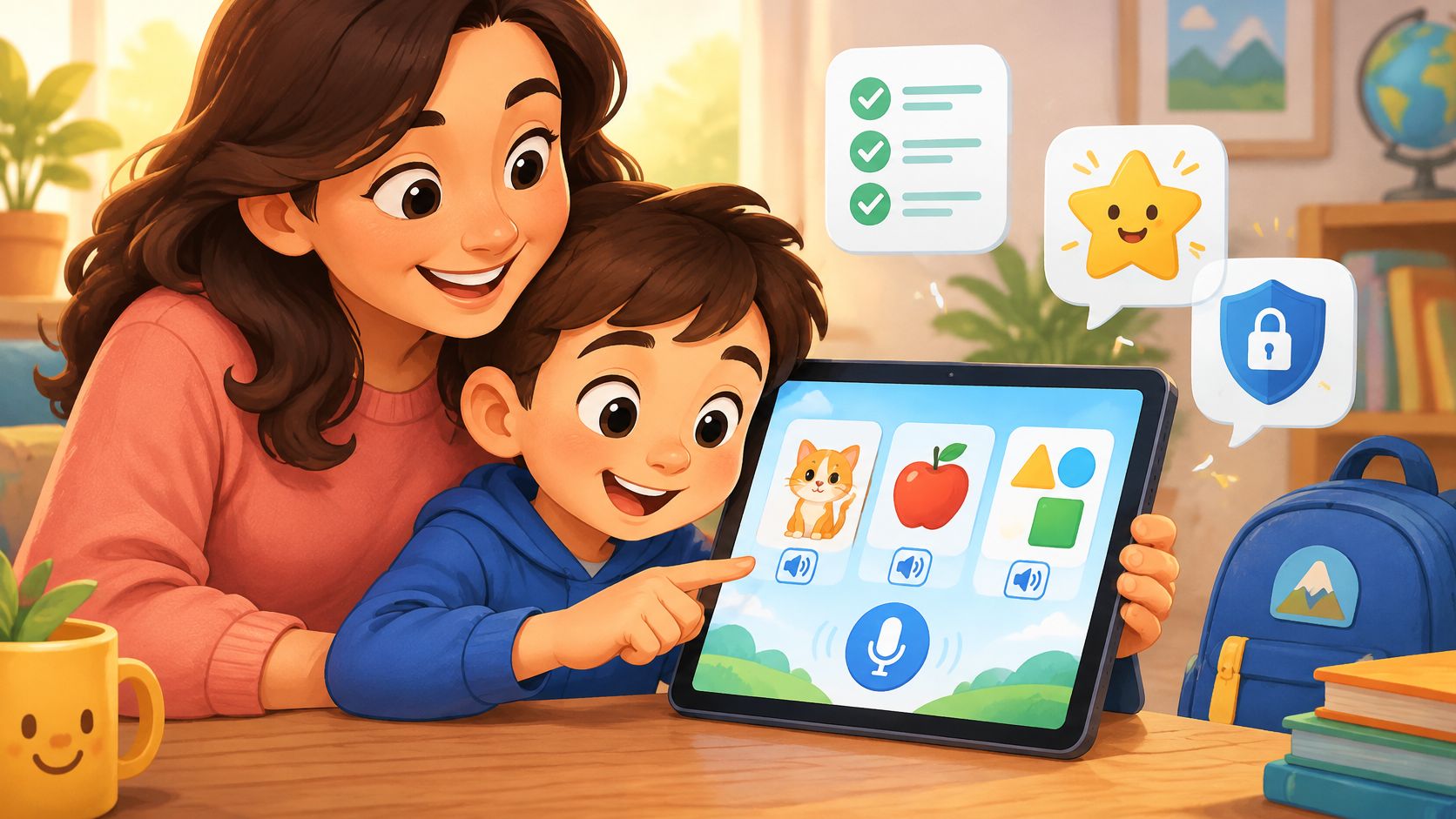
Can a child finish an English app's games without understanding or saying any English? That's the gap parents need to check before trusting bright cartoons, store ratings or promises of fluency.
For adults considering how to choose an English learning app for kids, the useful questions are practical: what does the child hear, what do they say, and what can they access beyond the lesson? A suitable app should match the child's starting level, make practice manageable and fit family life without adding pressure.
Quick Checklist for Picking an English App
| Criterion | Look for | Warning sign |
|---|---|---|
| Audio for every word | Native-speaker audio that can be replayed | Text-only instructions or words |
| Picture-word links | A clear picture that matches the word | Decorative art with unclear meaning |
| Repeated target words | The same words return across lessons | Each lesson brings only new words |
| Speaking practice | The child says words or phrases aloud | Only tapping and swiping |
| Feedback a child understands | Gentle hints and a chance to retry | Lives, harsh buzzers or timers that punish mistakes |
| Privacy basics | No ads, no open chat, no required account | Ads, chat, social feeds or sign-up before play |
| Offline use | Lessons and pictures work without internet | Every lesson needs a connection |
Each row receives a pass or fail, based on the actual lesson rather than the store description. Parents can count the passes among suitable candidates and keep the highest scorer for a closer test.
Audio, picture-word links and repeated target words are essential for complete beginners. An app that fails any of these isn't worth a trial for a child starting from zero. Missing speaking practice or failing the privacy check also rules a candidate out under this framework.
Offline use is different. For a family with reliable internet and no need for travel practice, it's a tie-breaker, not an automatic rejection.
Look beyond the feature label
A speaker icon doesn't prove that instructions are understandable. Likewise, a microphone icon doesn't explain whether a child gets a manageable opportunity to speak.
Parents should open an activity and check what happens. A picture of a cup should clearly mean cup, not leave the child guessing whether the target is the table, colour or surrounding scene.
Copying this table into a notes app makes it easier to score two or three candidates side by side without relying on memory.
Match the App to Your Child's Age and Starting Level
Age gives parents a rough starting point, nothing more. A nine-year-old can know zero English while a six-year-old already greets people in it. The table below offers typical entry points for each band.
| Age band | Reading level | Start with | Parent role |
|---|---|---|---|
| Ages 5–6 | Often pre-reading in English; confirm with the individual child | Audio and pictures, two or three words per session | Sit alongside and repeat words aloud |
| Ages 7–8 | Early reading or some decoding; confirm individually | Picture-word lessons with short spoken phrases | Check instructions and encourage a spoken attempt |
| Ages 9–10 | May read well in the first language while English reading is new | Short, age-suited topics with audio support | Set a short routine and check progress weekly |
| Complete beginner at any age | Any reading level | Start-from-zero lessons with audio | Pick a fixed time and stay nearby |
Treat these as selection starting points. Reading milestones are a separate question, and so is English proficiency.
A child aged nine may read confidently in Spanish yet know no English. That child needs beginner language wrapped in presentation that respects a nine-year-old's maturity. A child aged seven who isn't reading independently needs spoken instructions, so decoding text is never a condition of joining in.
NAEYC's guidance on reading aloud describes the contribution of listening and interactive discussion to vocabulary and comprehension. Parents therefore needn't limit the search to apps that demand independent English reading.
Check the starting point without a test
A relaxed conversation can establish whether the child recognises colours, numbers, greetings or family words in English. Try naming a few objects at breakfast and watch what lands. If none are familiar, the first lesson should teach from zero, with pictures and audio carrying the meaning instead of written instructions.
Talkio Kids is designed for complete beginners, aimed at children of roughly seven to ten years old. No previous English is needed, and new words arrive in small steps through familiar topics such as greetings, animals, colours, numbers, family and food.
For children aged seven or eight, a short mission may feel more inviting than a worksheet. For those aged nine or ten, parents should also check whether the characters, pace and interests feel age-appropriate. A calm theme such as a space journey can keep an older beginner exploring while the learning stays clear and easy to follow.
Placement rule: Choose first lessons that match the child's known words. Advanced-looking cover art tells you nothing about where the teaching begins.
Learning Design That Supports Real Practice
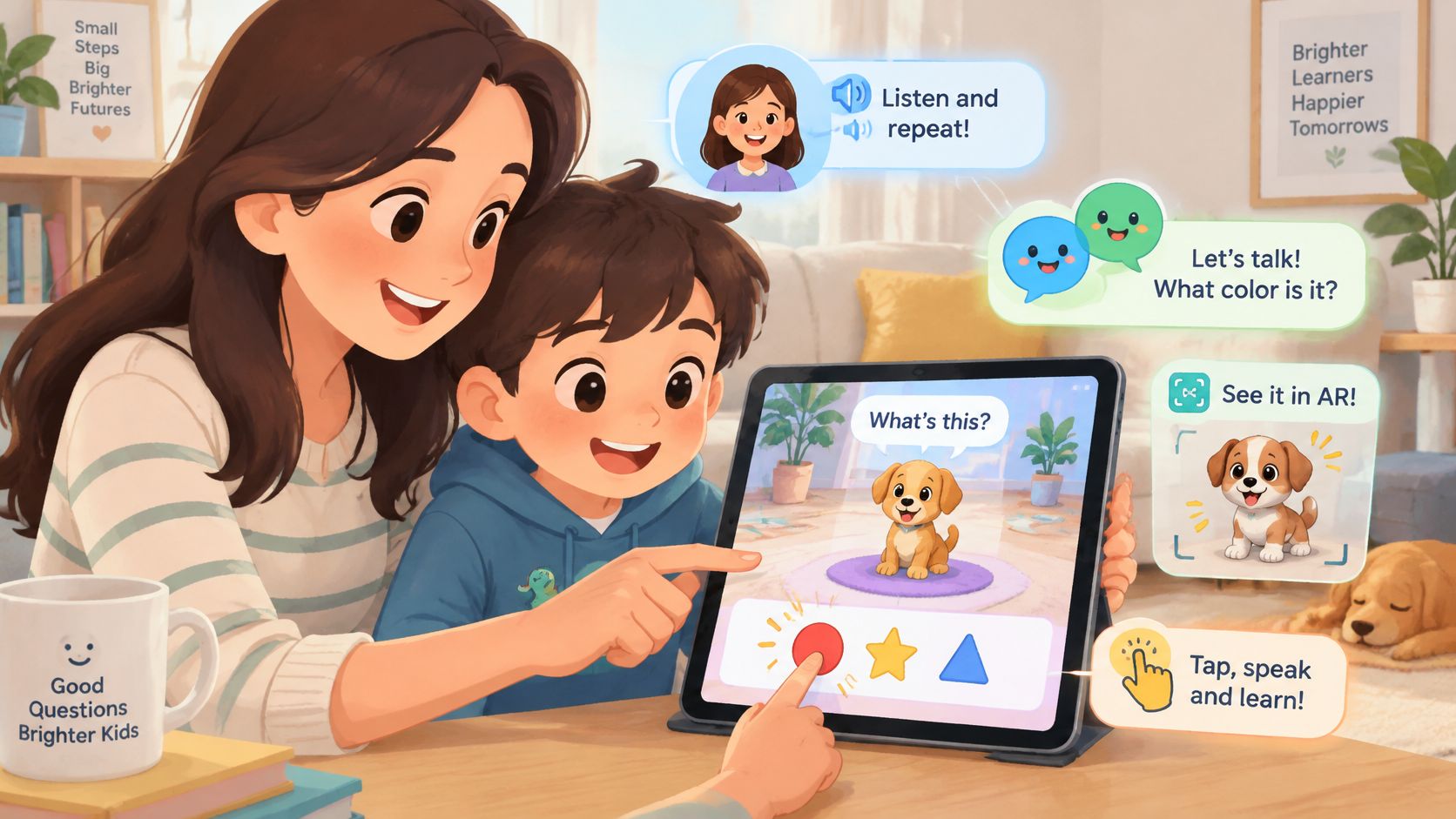
A 2023 systematic review indexed by ERIC examined touchscreen-app interventions for children aged 3–11 and found different results for built-in narration, real-time conversation prompts, augmented reality and interactive hotspots:
- Narration: It supported story comprehension and word learning compared with reading alone, but didn't outperform shared reading with an adult.
- Conversation prompts: They increased both the quality and quantity of adult–child talk.
- Augmented reality: It appeared to support language learning partly through motivation.
- Interactive hotspots: The review found no evidence that text-relevant hotspots improved learning.
These findings don't establish that any particular commercial app works. They help parents distinguish a learning opportunity from an attractive extra.
Turn the findings into checks
Clear narration should let a beginner hear a word again without restarting the whole lesson. A conversation prompt should create room for an answer, not continue playing while the child remains silent.
Parents can also check whether an activity connects to something real. After hearing a colour word, can the child find that colour on a school bag or shirt? An animated object that spins when touched may be enjoyable, but the movement alone doesn't explain what the child learns.
Talkio Kids provides an example of the developer's intended design: short lessons combine listening, picture connections, simple questions and spoken attempts. Every instruction and word is spoken as well as written, with audio replay one tap away.
Parents should confirm those features in the installed app before relying on them. Nox, the alien companion, supplies a space-adventure setting, while the learning aim remains basic everyday vocabulary and simple phrases.
The guide to choosing a vocabulary game app offers another way to consider whether play serves the words being taught.
A playful theme can give a child a reason to stay, but the useful test is whether the child listens, speaks and repeats meaningful words.
How to Test an App in Ten Minutes
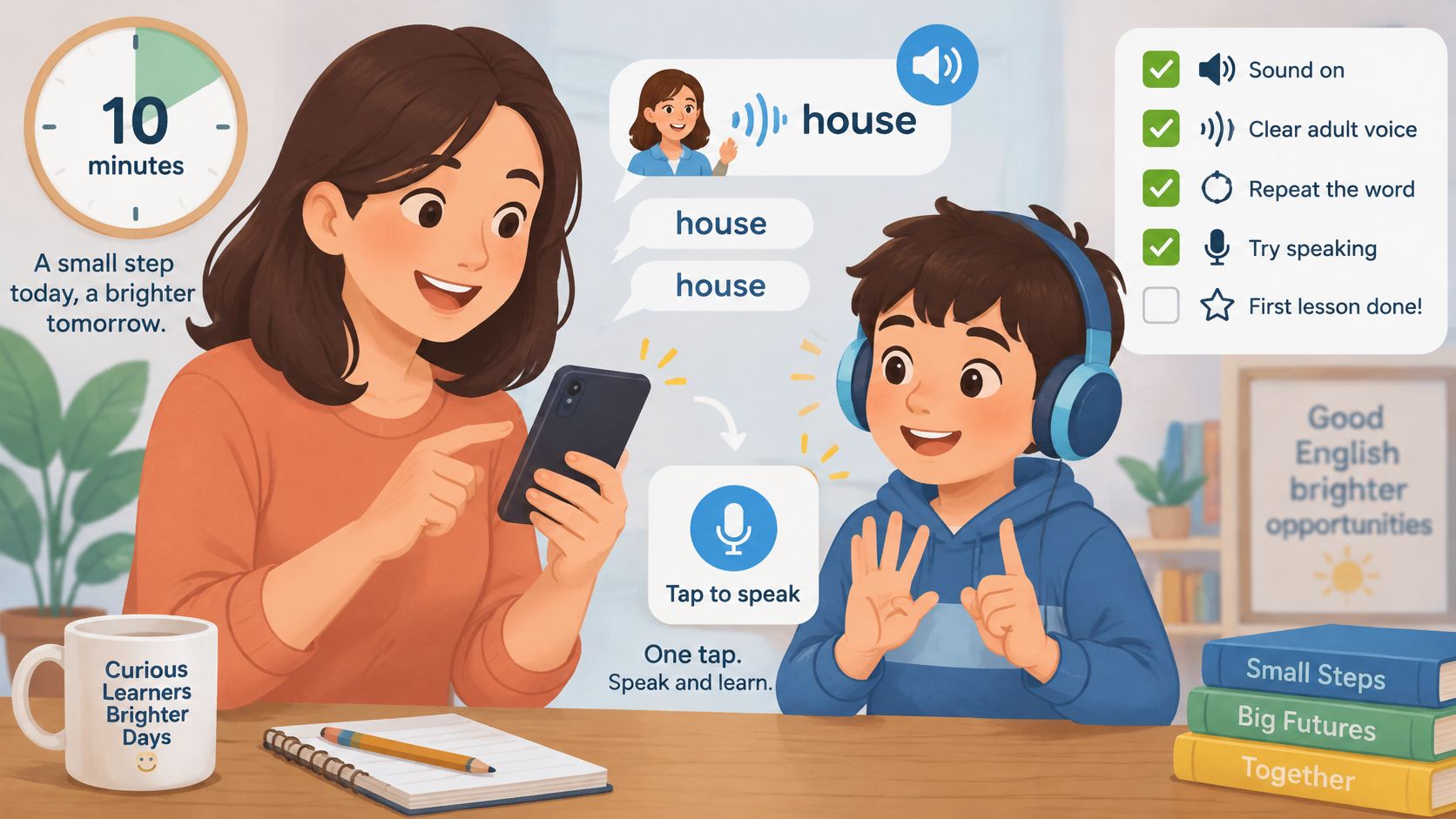
A phone, sound turned on and a nearby child are enough for a useful first inspection. Parents can begin with any available preview, or an accessible first lesson after checking the purchase terms; a free preview shouldn't be assumed.
Listen before handing over the device. Open a lesson and hear how each target word and instruction is modelled. The child shouldn't have to guess what to do from written English alone.
Track the returning words. Make a small tally when a target word appears, then inspect the next activity if access allows. This distinguishes purposeful review from a stream of unrelated new items.
Watch what speaking involves. Notice whether the child says a word or phrase and what happens afterward. Parents should distinguish recognition-based feedback from recording, self-assessment or a simple invitation to repeat.
Choose a wrong answer deliberately. Check whether the app offers a clear hint and another attempt. A child needs to understand how to continue, not merely learn that an answer was wrong.
Inspect the order of practice. Look for a manageable move from hearing and recognising a word toward saying it. An unexplained spoken question may be too large a jump for a complete beginner.
Close the app and try a small transfer task. Ask the child to point to two familiar target objects or pictures, then invite the words aloud. This offers a glimpse of understanding beyond remembering where to tap.
Notice learning, not performance pressure
A hesitant response isn't a failure. Parents can accept pointing first, model the word and leave space for another attempt later.
A 2025 Flinders University report describes an analysis of 309 children's early-reading apps, of which only 85 were recommended by expert speech-language reviewers. Those were reading apps, not specifically beginner English apps, but the finding supports inspecting instruction, sequencing and corrective feedback rather than treating polish as proof.
Useful progress signs include recalling everyday words, following a familiar short instruction and attempting a spoken phrase. A completed level alone doesn't answer those questions.
Safety, Privacy and Purchases Without Extra Controls
What does the app collect? What can the child reach? Can practice continue offline? Who controls purchases? These questions help parents inspect the app itself rather than depending entirely on a separate monitoring system.
In a U.S. parent survey reported by the Kids Mental Health Foundation, leading concerns about children's screen use included privacy and safety at 47%, misinformation at 36%, and reduced in-person socialising at 34%. Families can turn those concerns into concrete design checks.
Inspect access and data separately
- Advertising and tracking: Check for ads, behavioural advertising, third-party analytics and location tracking.
- Contact with others: Look for social feeds, comments, leaderboards, public profiles and open chat.
- Identity requirements: Establish whether play requires an account or personal information.
- Purchases: Confirm a parent gate or device-level purchase protection before giving the device to the child.
Talkio Kids has no advertising, behavioural advertising, social features, third-party analytics or location tracking. There are no accounts, public profiles, comments, leaderboards, chat or open-ended AI conversations.
Its generic local child profile and learning progress stay on the device. The gated Parent corner includes Delete local child data, which removes the profile, progress, attempts, practice history, settings and local reminder.
Purchases sit behind a parent gate. That doesn't mean every part of subscription administration is local: the app uses RevenueCat for parent-controlled purchases and access validation, separately from child-facing lesson navigation.
Know the practical limits
The app doesn't provide a school dashboard, family plan, multiple child profiles, cloud progress sync or emailed reports. Parents and tutors needing those functions should treat their absence as a genuine selection consideration.
There's also no parent-defined screen-time limit inside the app. A device timer can support a stopping routine, but it won't supply missing reporting or synchronisation features.
Build a Five-Minute Routine at Home or on the Road
A manageable starting plan is a brief daily session with a small group of words, rather than a long attempt to finish a topic. NAEYC's intentional-teaching guidance emphasises words that are explained in context, repeated and relevant to the learner.
A simple daily sequence
- Choose a familiar moment. After breakfast or before an afternoon activity can be easier to remember than an unfixed plan.
- Let the child hear the target vocabulary, connect it to pictures and attempt a response.
- Stop at an agreed endpoint. Finishing a short activity gives a clearer boundary than continuing until attention disappears.
- Bring a word into ordinary life during dressing, tidying or play.
A parent doesn't need fluent English to offer a small follow-up. A question such as Which one is blue? can invite an answer such as blue car, without requiring a polished sentence.
The guide to teaching a child English at home offers further routine ideas. At a weekly check, parents can notice whether familiar vocabulary appears outside the device rather than arranging a formal test.
Prepare for travel
Before leaving, install the app and check access on the intended device. Its lessons, pictures and recordings ship inside the app, practice works offline, progress stays locally, and no account or sign-in is needed.
A device timer can mark the agreed stopping point during a journey. Offline availability needn't mean unlimited availability.
The American Academy of Pediatrics guidance on media and young minds supports considering content quality, developmental needs and adult involvement. Family planning should protect sleep, movement, reading, play and conversation rather than judge an activity only by its screen minutes.
Free Activities That Extend Any English App
The most useful follow-up can happen with objects already at home. NAEYC's principles of developmentally appropriate practice describe how purposeful play and adult guidance support vocabulary in meaningful contexts.
The toy shop
- Set out familiar objects. Place a ball, cup and another household item on a table, then name them in English.
- Ask the child to point to an item.
- Add pretend buying and selling. Model a red ball or the cup, please.
- Reuse the words in a different setting the next day.
An older beginner might prefer running a pretend sports shop or packing an explorer's bag. The language can stay simple without making the activity feel preschool-aged.
The picture walk
- Open a picture book without requiring reading.
- Name a visible object and invite the child to point and copy the word.
- Offer a choice such as cat or dog?
- Retell the scene with gestures.
Listen and point
- Describe a nearby object, such as This is a blue car.
- Ask the child to find the blue object.
- Invite a short spoken answer, then model a slightly fuller phrase.
NAEYC's guidance on children's speaking and listening supports following interests and expanding children's language. More English speaking activities for kids can help families vary the context.
Teachers and tutors can revisit a small vocabulary set through songs, movement and role-play instead of ending with a large word-list test.
Choose Your App and Start a Trial Week
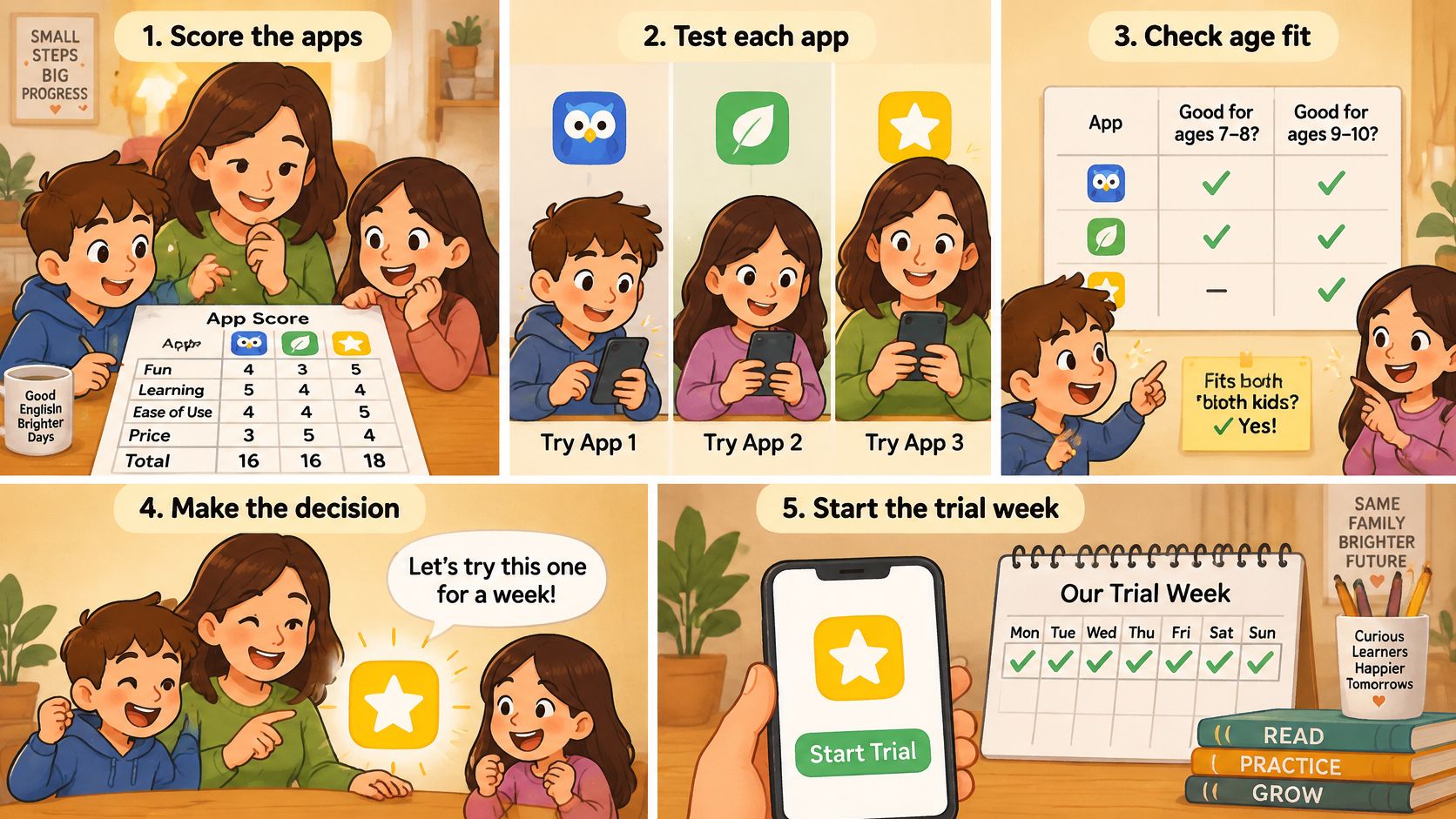
- Score a shortlist using the pass-or-fail checklist.
- Run the practical lesson test on candidates with suitable access.
- Confirm age and level fit, including whether an older beginner feels comfortable with the presentation.
- Check current subscription prices and trial eligibility inside the app before purchasing.
A “trial week” can mean a family's week of observation; it doesn't imply that every app offers free access. New profiles in this app require an active Premium subscription before the course begins.
Monthly and annual subscriptions are available. Eligible new subscribers can try the complete course free for seven days, with eligibility and current prices shown in the app.
The surrounding app supports English, Spanish, German, French, Italian and Danish, with new words explained in the selected home language. Parents should confirm that language fit before relying on it; no particular learning outcome is guaranteed.
For a broader shortlist, parents can explore language study tools through KeenVerdict, then apply the child-specific checks rather than assume every listing suits young beginners.
Families ready to inspect this option can explore the app or download it through the App Store or Google Play.
Talkio Kids offers short listening, picture-matching, speaking and review activities for beginner English, with offline content and no ads or open chat. Parents can visit Talkio Kids to consider its fit, download the app and review subscription options before starting a calm home routine.